Web Scraping API Guide: Build or Buy in 2026
Master the web scraping API decision. Compare build versus buy approaches, understand core mechanics like proxies and rendering, and learn

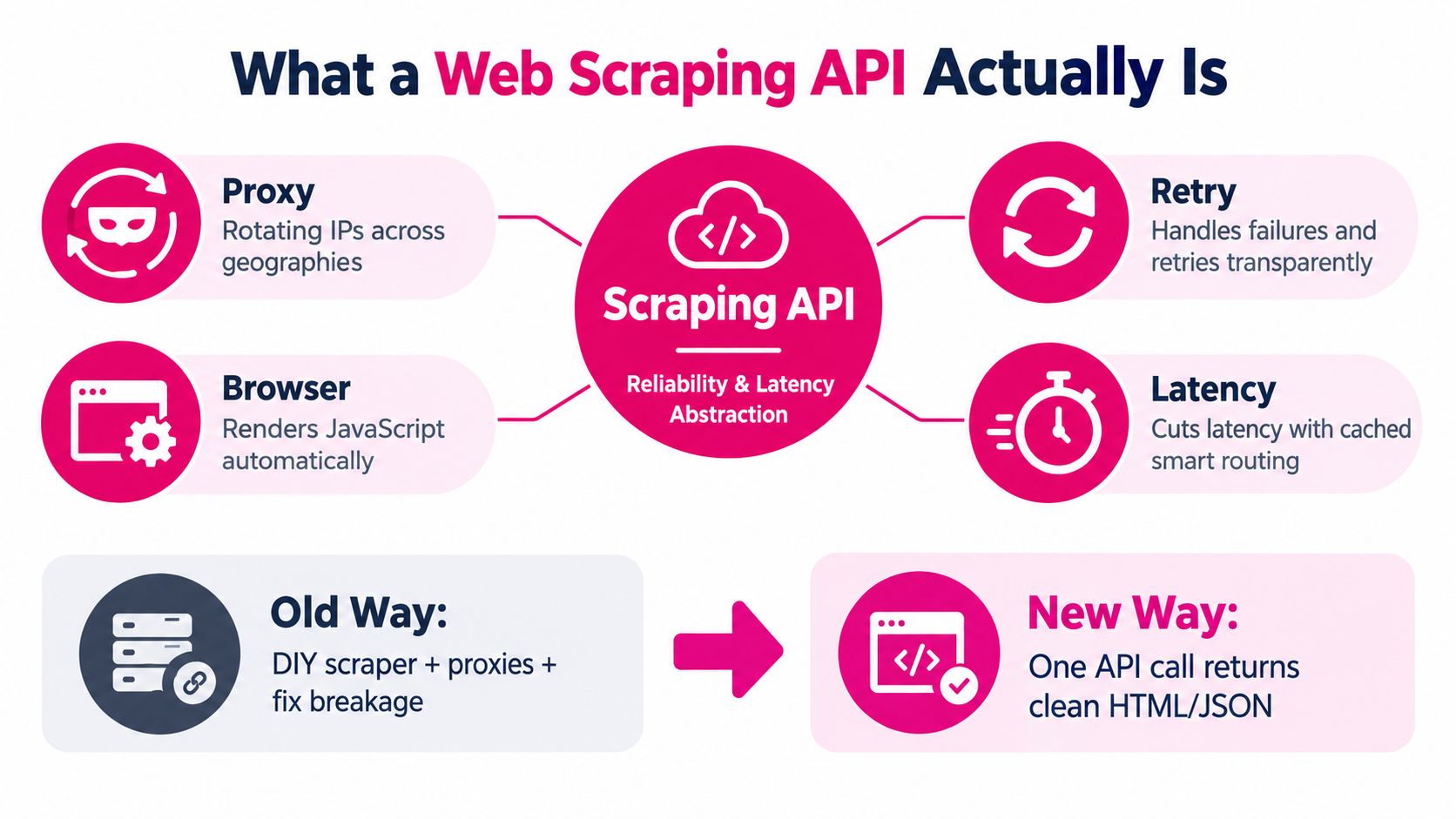
A web scraping API is a reliability and latency abstraction, not just a proxy endpoint. In practice, it handles proxy selection, JavaScript rendering, retries, and output normalization so you can get usable data instead of babysitting brittle scrapers.
You've probably lived the failure mode already. The script worked yesterday, the target site changed its markup overnight, and now a customer-facing workflow is broken because the scraper returned an empty shell.
Table of Contents
- What a Web Scraping API Actually Is
- How Scraping APIs Work Under the Hood
- Build vs Buy Choosing the Right Path
- How Context.dev Can Help
- Legal and Ethical Boundaries
- Evaluating Reliability and Performance
- API Usage and Integration Patterns
- Performance and Cost Trade-offs
What a Web Scraping API Actually Is
A solo founder usually discovers the hard truth the second the first scraper gets traction: the problem isn't “fetch the page.” The problem is keeping the data flow alive when the page changes shape, loads in the browser, or starts challenging automated traffic. That's where a web scraping API earns its keep, because it's a managed layer that turns unpredictable web retrieval into a stable contract.
The distinction matters. Conventional scraping requests HTML and then extracts fields from page structure, while an API exposes data through a defined programmatic contract, often as JSON or Markdown. In other words, the scraper is trying to read the page like a human with a parser, while the API is promising a cleaner interface for downstream code.
Historically, this didn't start as a polished product category. Web scraping predates modern scraping APIs and began as a way to measure the expanding Web, including the World Wide Web Wanderer in June 1993 and JumpStation in December 1993. That progression matters because it shows how the field moved from measurement and indexing scripts into a broader data-access layer for research, monitoring, pricing intelligence, and automation. The public-web surface got too large and too dynamic for hand-rolled fetch-and-parse loops to remain the default.
For a practical example, think about a founder tracking competitors in a directory. A DIY stack might involve a proxy list, a headless browser, retry logic, parsing, and periodic fixes whenever the site changes. A managed scraping API collapses that into one call, which is why tools like uScraper on IndieHunt fit naturally into workflows that need repeatable collection rather than one-off page downloads.
Practical rule: if the page is public but the structure isn't stable, treat the API as an operations layer, not a convenience wrapper.
That shift in mindset is why scraping APIs became valuable. They combine the reach of automated web collection with infrastructure for handling browser rendering, request management, parsing, and structured output. Once you see it that way, the question stops being “Should I scrape?” and becomes “How much operational risk do I want to own?”
How Scraping APIs Work Under the Hood
A scraping API usually bundles four jobs that look simple in isolation and painful together at scale. Proxy routing, browser rendering, rate limiting, and selectors are the pieces that make the difference between a demo and a dependable pipeline. The useful mental model is a relay team, not a single runner.
Proxies and routing
Proxies are the identity layer. A request can be sent through different routes and geographies so one source IP isn't carrying all the pressure, which helps with scale and with target sites that vary content by region. In production, this is less about “hiding” and more about spreading load and reducing obvious automation patterns.
Rendering and page execution
Rendering is the part most founders underestimate. A plain HTTP fetch sees the page source, but a headless browser executes JavaScript and watches the page as a user would. If a site behaves like a single-page app, the content may not exist in the initial HTML at all, so rendering is the only way to see the finished DOM.
Rate limiting and politeness
A healthy crawler respects server capacity. Published guidance recommends reading robots.txt first, honoring disallowed paths and crawl-delay directives, and easing off when an origin returns 429 or 503 responses. That matters because unmanaged concurrency tends to create queueing, higher timeouts, and more retries, which can turn a temporary throttle into a longer outage.
Rule of thumb: a scraping job that ignores backoff usually doesn't fail cleanly, it just degrades until your downstream data becomes noisy.
Selectors and extraction
Selectors are the last mile. They tell the system which fields matter inside the returned HTML, whether that's a title, a price, a company name, or a product detail. In a managed service, selectors are often wrapped inside a higher-level extraction layer, so you're not hand-maintaining brittle CSS rules every time the layout shifts.
The image below is a good shorthand for the full flow, because it shows the moving parts without pretending they're trivial.

For a deeper product-oriented workflow, CrawlReady on IndieHunt is the kind of project page people inspect when they want a quicker mental model of how these layers fit together in a real toolchain.
Build vs Buy Choosing the Right Path
Building in-house looks attractive because the first version is cheap and under your control. Buying a managed API looks expensive until you account for the engineer hours, the proxy churn, the browser maintenance, and the endless edge cases around blocks, CAPTCHAs, and layout drift. The right answer depends on whether your scraping is a core product capability or just a support function for another workflow.
Where building still makes sense
If the target is narrow, stable, and highly specialized, an in-house scraper can be the right call. That tends to be true when you own the source sites, when you only need a one-off dataset, or when the extraction logic is unique enough that a generic service would force too much compromise. It also makes sense when your team already has deep scraping experience and the data volume is modest enough that operational overhead stays predictable.
Where buying usually wins
A managed service starts making more sense as soon as reliability becomes part of the product promise. If you're powering SEO monitoring, price intelligence, or agent workflows, the cost of silent failure is higher than the subscription line item. A service that handles rendering, retries, output normalization, and geography gives you fewer moving parts to own and fewer on-call surprises.
| Criterion | Build in-house | Buy a managed API |
|---|---|---|
| Setup speed | Slow | Fast |
| Ongoing maintenance | High | Lower |
| Control over edge cases | High | Medium |
| Resilience to site changes | You own it | Provider absorbs more of it |
| Best fit | Specialized, narrow targets | Production workflows and repeated collection |
If scraping is keeping one engineer busy just to maintain the pipeline, you're probably funding infrastructure that a managed platform already operates better than you can.
A practical decision filter
- High data churn: buy, because layout drift and retries will dominate your time.
- Low request frequency: build only if the targets are stable and the workflow is simple.
- Small team, wide target set: buy, because breadth multiplies maintenance.
- Very specific extraction logic: build if the data shape is unusual and tightly controlled.
Indie teams often over-optimize for low monthly spend and under-optimize for reliability. A cheap script that fails without notice is often the most expensive option you can run.
How Context.dev Can Help
When the workflow is about public web context rather than raw page downloading, Context.dev can be a practical fit. It gives developers real-time access to structured public-web data, including rendered HTML, LLM-ready Markdown, images, sitemaps, screenshots, and brand metadata by domain, email, name, or stock ticker. If you're enriching profiles, feeding RAG pipelines, or automating onboarding, that breadth saves a lot of glue code.
The feature set is especially useful when you need the web transformed into something your app can consume. AI Query can extract custom entities and product data, while transaction identification maps merchant descriptors back to real brands. The platform also returns logos, colors, fonts, styleguides, socials, addresses, NAICS classifications, and company descriptions, which is handy for personalization and profile enrichment.
For a quick look at the product, the web scraping api landing page is worth scanning because it shows how the service packages those pieces into one interface.
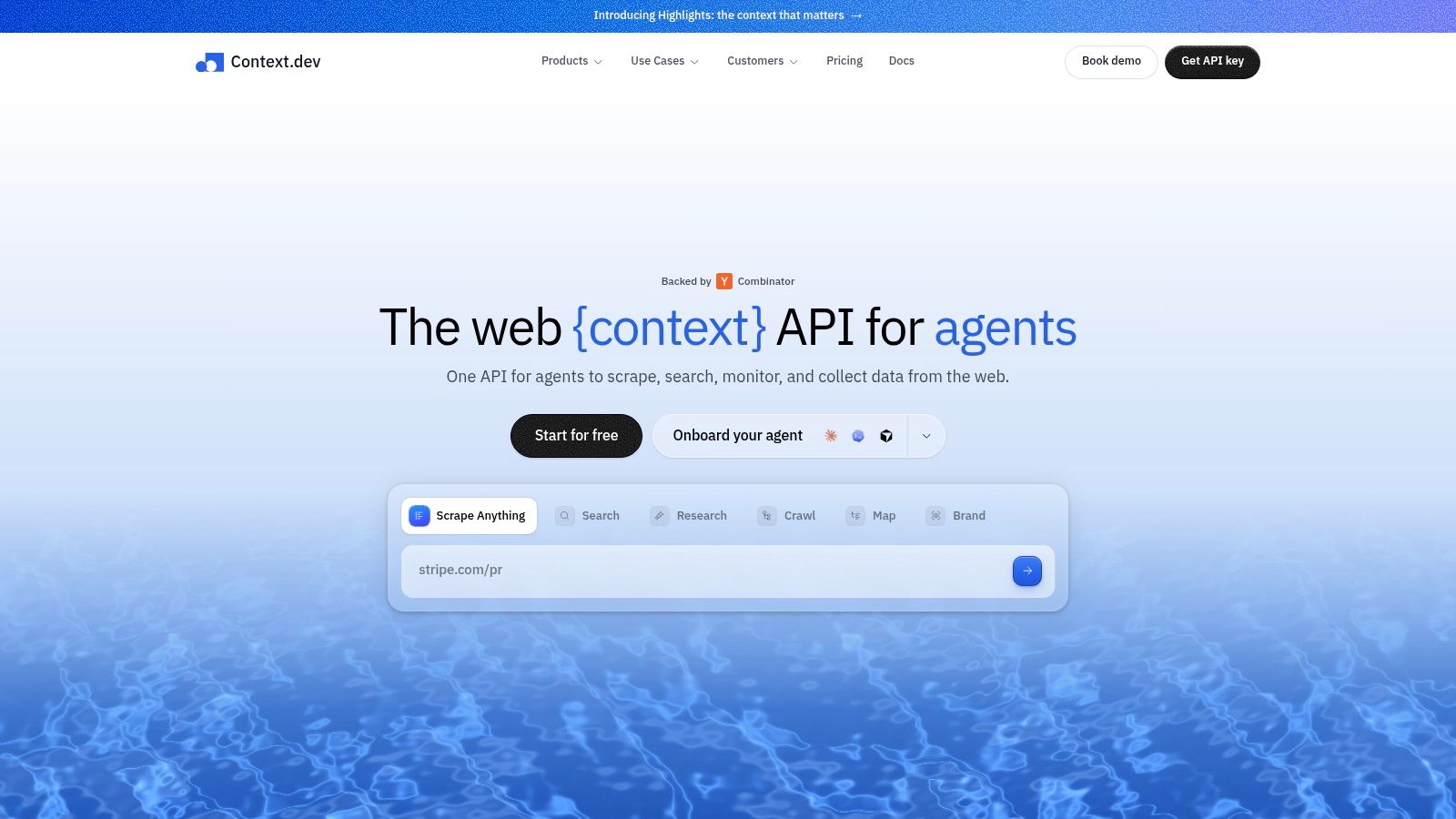
From a decision standpoint, the main question is whether you need a broad public-web context layer or a narrower extraction service. Context.dev makes sense when your system wants structured enrichment across many public sources, especially for AI agents, CRM enrichment, and on-brand experiences through automation tools.
Legal and Ethical Boundaries
The legal line in scraping is messier than most tool pages admit, and robots.txt is only part of it. It's a voluntary convention that communicates the publisher's crawl preferences, not a universal legal shield or an all-clear signal. That means responsible scraping is about respecting technical requests, avoiding unnecessary load, and understanding whether the content is public, authenticated, personal, or protected by access controls.

A useful way to think about it is as a risk matrix rather than a yes-or-no test. Public, non-personal data fetched at low volume with polite request spacing is one thing. Public pages containing personal data, high-volume collection, or bypass-oriented techniques is another. The latter deserves far more scrutiny, especially when the dataset will be reused, stored, or processed across regions.
The operational angle matters too. Uncontrolled concurrency raises queueing, connection pressure, and bot-detection signals, which increases timeouts and retries. Immediate retries after 429 or 503 responses only make that worse, because the same burst that triggered the throttle keeps hammering the origin.
A sane production setup uses per-origin limits, randomized spacing, bounded concurrency, and conditional requests with ETag or Last-Modified. It also keeps a short-refresh robots.txt cache, applies the most restrictive applicable rule, and tracks 2xx, 3xx, 4xx, 5xx, and 429 frequency so the team can see when the crawler is stressing an origin instead of helping it.
The video below is a good companion piece if you want to think about the ethics side as an operational discipline instead of a slogan.
Practical boundary: if your crawler depends on bypassing access barriers to work, treat that as a different risk class from collecting pages that were already publicly visible.
The safest teams document authorization, retention, deletion, and provenance before the first large crawl runs. That's not bureaucracy, it's what keeps a useful pipeline from becoming a compliance problem later.
Evaluating Reliability and Performance
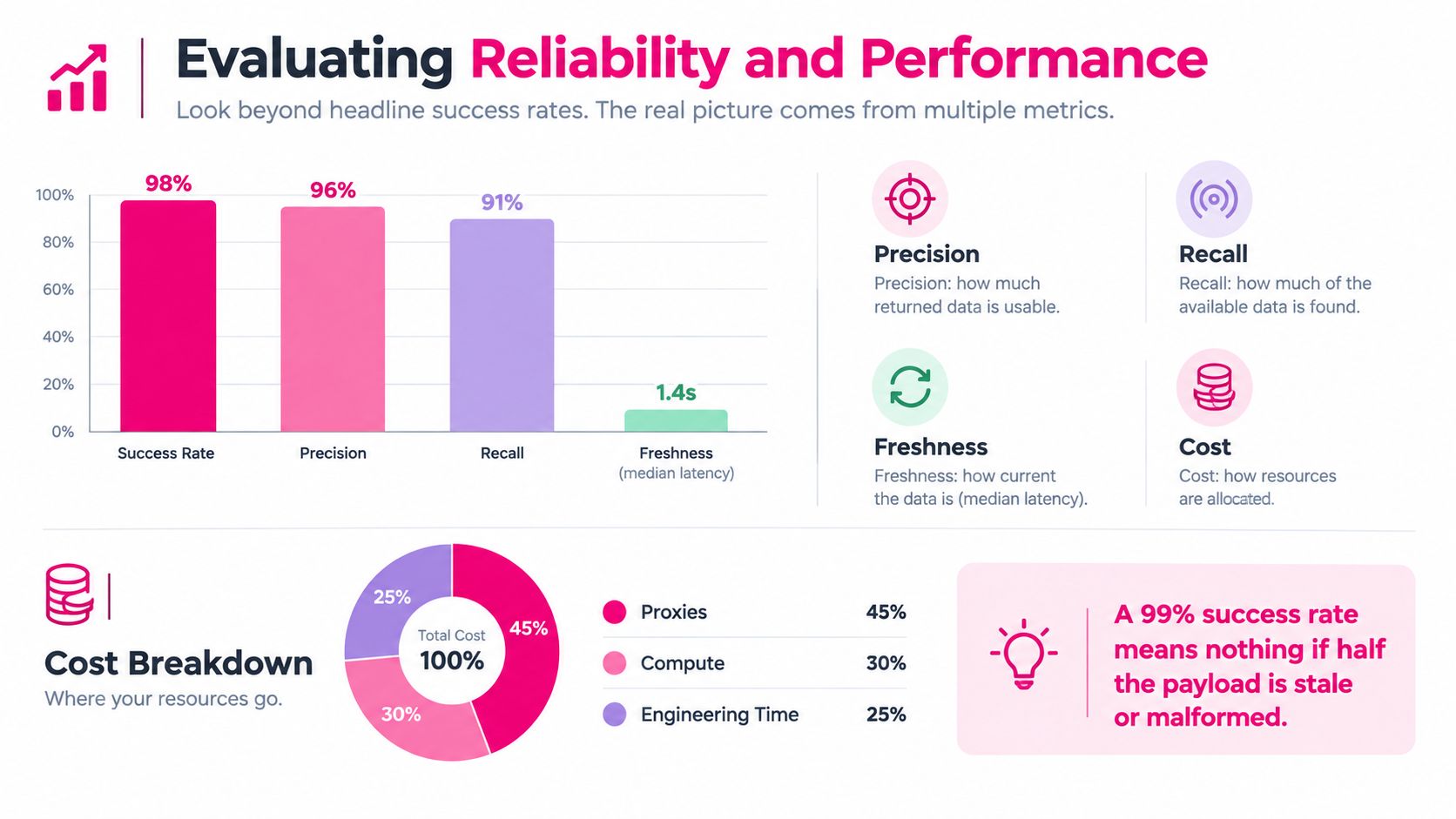
Headline success rates are not enough. A scraper can return a response and still miss fields, drift schema, or hand you stale content that looks valid until it reaches your downstream system. The better evaluation framework is precision, recall, freshness, and cost per usable record.
What to measure first
Build a labeled test set from the pages you care about. Include different templates, countries, logged-out states, pagination, and pages where fields are missing or optional. Then score the provider on whether it returns the right record, the right fields, and the right freshness for the use case.
A benchmark on a 150-page test found that static retrieval had a 1.13-second median and 1.92-second p95, while rendered retrieval jumped to a 9.16-second median and 12.13-second p95 (benchmark details). That gap is the reason I separate static and rendered paths in production, because turning rendering on everywhere is a waste when the data already lives in server-rendered HTML.
Why accuracy beats vanity metrics
A provider can report a successful HTTP response and still hand back incomplete HTML, a challenge page, or a payload that parses but contains the wrong fields. That's why a clean acceptance test should report HTTP success, data completeness, and extraction accuracy separately. A single green status hides the failure mode that hurts search tracking and analytics the most.
For AI-heavy pipelines, the evaluation bar gets even stricter. Industry coverage has noted that typed, structured outputs matter more than raw HTML when the result feeds an agent or RAG system. The operational question isn't whether the call succeeded, it's whether the returned record can be trusted without manual repair.
Measurement that matters: a fast response with the wrong schema is a failed scrape, because it costs the same downstream effort as a timeout.
The linked project below is a good reminder that vendor choice should be based on production evidence, not feature checklists alone: FleetProxy on IndieHunt.
API Usage and Integration Patterns
A reliability-first integration usually starts with a small, representative set of URLs and a schema the downstream code can trust. The request should be simple, the response validation should be strict, and the retry policy should be boring. If you have to manually inspect half the payloads, the integration isn't production-ready yet.
A practical pattern looks like this:
- Send the URL with a clear extraction target. Ask for HTML, Markdown, or structured JSON only when you know why you need that format.
- Use an idempotent request identifier. If the call retries, you should know whether the result is a duplicate or a fresh fetch.
- Validate against schema. Missing fields should fail fast rather than drift silently into a database table.
- Cache responses intentionally. Caching should lower latency and cost, but never hide the fact that a page is stale if your workflow needs fresh data.
Here's the operational shape I'd use in a production pipeline, regardless of provider:
- Fetch: request one URL, not a giant batch, until the extraction logic is stable.
- Validate: compare the returned fields to a schema or contract.
- Classify: mark records as clean, partial, or failed.
- Store: keep raw response metadata with the extracted data so you can audit later.
- Retry selectively: only retry records that failed for transient reasons.
Production habit: track cost per clean record, not cost per request. A cheap failed request is still expensive if it produces no usable data.
If the provider supports batching, use it after single-page extraction is stable. Batch mode is useful for throughput, but it's a scaling choice, not a correctness fix. The more your downstream system depends on the scrape being right the first time, the more important schema validation and response classification become.
Performance and Cost Trade-offs
The cheapest option on paper is rarely the least expensive in practice. Once you factor in maintenance, browser orchestration, proxy churn, retries, and engineer time, the total cost of ownership usually shifts toward a managed service unless the target set is tiny and unusually stable. That's especially true when scraping is feeding product features rather than a one-off analysis.
Performance is the other side of the same coin. Static pages should move through a lightweight HTTP path, while rendered pages should only take the browser path when the content depends on JavaScript, interaction, authentication, or lazy loading. That split keeps latency down and prevents you from paying rendering costs on pages that don't need them.
A sane buying process starts with a trial on your real targets, not a vendor demo. Run a labeled set, record the median latency, the p95 latency, the precision, the recall, and the cost per usable record, then compare those numbers to the engineering time you'd spend maintaining a DIY stack. If the data supports the same quality with less operational overhead, the managed option usually wins.
The checklist I'd use is simple:
- Does it return the format your pipeline needs?
- Can it separate clean records from partial ones?
- Does it handle rendering only when needed?
- Can you audit responses after a failure?
- Does the pricing model stay predictable as usage grows?
The final decision should follow the workflow, not the marketing page. If you need reliable public-web data every week, buy for resilience. If your target is narrow and you can tolerate maintenance, build. Either way, test against your actual pages before you commit.
If you're choosing a web scraping API right now, run a small labeled benchmark on your real targets, compare clean-record cost against your current maintenance burden, and pick the option that stays reliable after the first site change. If you want a practical next step, audit one workflow today, score it on precision and freshness, then decide whether your team should build the scraper or hand the infrastructure to a managed API.

Launch on IndieHunt
Submit your product to get featured in the weekly launch and reach indie founders looking for new tools.
Submit your project