

 Jamie Folsom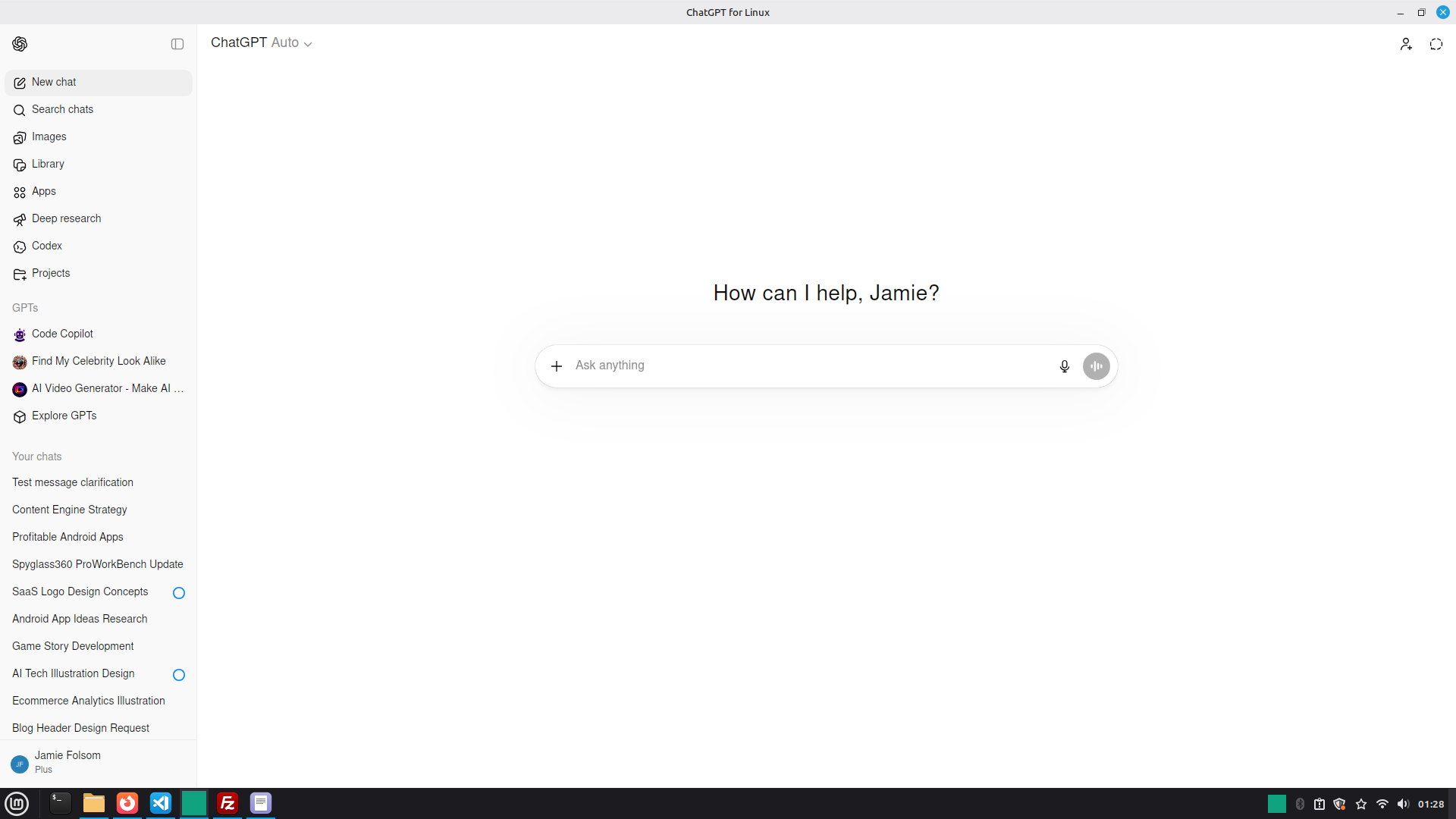
The Growing Need for Optimized AI Tools on Linux
As AI applications become increasingly integrated into daily workflows, the need for efficient, platform-specific solutions is growing. Linux, a favorite among developers and tech enthusiasts for its flexibility and open-source nature, is no exception. However, many AI tools prioritize Windows and macOS, leaving Linux users with suboptimal experiences. The challenge lies in creating AI applications that are not only functional but also optimized for Linux's unique environment. This is where solutions like OpenChat for Linux come into play, addressing specific pain points such as resource usage and performance.
Challenges of Running AI Applications on Linux
Linux users often face difficulties when running AI applications that are primarily designed for other operating systems. Common issues include high memory consumption and sluggish performance in long-running sessions. These problems can disrupt workflows, especially when users rely on AI for critical tasks. Current workarounds include running applications in virtual environments or using browser-based solutions, both of which come with their own limitations. The demand for native Linux applications that address these challenges is clear.
Innovative Solutions: OpenChat for Linux
In response to these challenges, developers are creating AI solutions tailored for Linux. OpenChat for Linux - OpenAi chat by Snippetsupply.com is a prime example. Specifically designed for Linux, this application optimizes ChatGPT's performance by reducing RAM usage and enhancing long-chat interactions. It provides a native desktop experience with formats like AppImage and .deb, making it accessible for a wide range of Linux distributions. By focusing on efficiency and usability, OpenChat for Linux serves both individual and professional users looking for a seamless AI chat experience.
Real-World Applications of OpenChat for Linux
OpenChat for Linux offers practical solutions for various use cases. Individual users can utilize its features to enhance personal productivity, whether it's organizing daily tasks or generating creative content. Professional users, on the other hand, can integrate it into business processes, improving communication and decision-making with AI insights. The application's smart history loading and low resource usage ensure that it remains responsive, even during extensive chats. For those interested in exploring its capabilities further, visit the official website.
Key Differentiators of OpenChat for Linux
What sets OpenChat for Linux apart is its focus on performance optimization and accessibility. Unlike many AI tools that are resource-heavy, it maintains a lightweight desktop footprint, making it ideal for users who need efficient solutions without compromising on functionality. The free pricing model also makes it an attractive option for users at different levels of expertise. By offering a native Linux experience, it fills a significant gap in the market for AI tools tailored to this operating system.
Target Audience: Who Benefits Most?
OpenChat for Linux is particularly suited for Linux enthusiasts, developers, and tech-savvy users who require reliable AI tools that integrate seamlessly with their existing systems. Additionally, businesses operating on Linux systems can leverage its features to enhance team productivity and communication. By catering to these specific user needs, OpenChat for Linux broadens the accessibility of AI technologies within the Linux community.
About the Builder: Jamie Folsom
Jamie Folsom, the creator of OpenChat for Linux, is committed to developing solutions that enhance the usability of AI on Linux. With a background in software development and a passion for open-source projects, Jamie recognized the need for a robust, native AI chat application for Linux users. This project reflects his dedication to improving user experiences and addressing the unique challenges posed by the Linux environment.
The Future of AI on Linux
As AI continues to evolve, the demand for platform-specific optimizations will likely increase. OpenChat for Linux exemplifies how targeted solutions can empower users and improve productivity. Looking ahead, the integration of AI with Linux systems could pave the way for more innovative applications and enhanced user experiences. The question remains: how will future developments in AI further transform the Linux landscape?
Explore the Launch
To learn more about OpenChat for Linux and explore its features, visit the product page. The project recently launched on IndieHunt, a platform dedicated to discovering innovative startups. For founders interested in launching their own projects, consider submitting on IndieHunt.
OpenChat for Linux - OpenAi chat by Snippetsupply.com in action
Quick Answers
What is OpenChat for Linux?
OpenChat for Linux is an AI chat application optimized for Linux users. It features low RAM usage, smooth scrolling, and long-chat performance enhancements, making it a lightweight and efficient tool for AI interactions.
Why is OpenChat for Linux important for developers?
OpenChat for Linux addresses the specific needs of developers and tech enthusiasts who use Linux as their primary operating system. By providing a native application that optimizes resource usage, it enhances the overall user experience and integrates seamlessly with Linux environments.
How does OpenChat for Linux improve productivity?
By offering features like smart history loading and low-resource usage, OpenChat for Linux helps users streamline tasks and maintain efficient workflows. This results in increased productivity, as users can focus on their objectives without the typical slowdowns associated with resource-heavy applications.