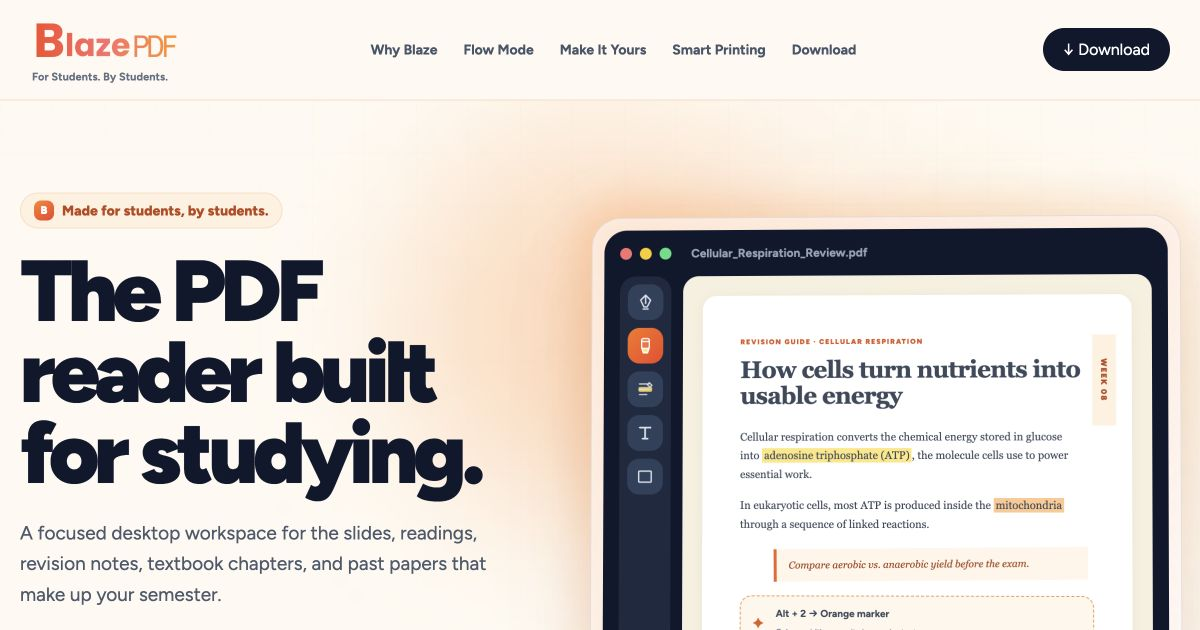
BlazePDF is an artificial intelligence tool designed to provide a focused desktop workspace for students. It enables users to read, annotate, and organize PDF documents seamlessly, addressing the specific needs of those immersed in academic study without the distractions of complex interfaces.
What BlazePDF does
BlazePDF offers a streamlined environment for handling lecture slides, research papers, and revision notes. It allows users to annotate PDFs with a variety of tools, manage local files without needing an account, and print documents efficiently. The software is built to keep students in their workflow, minimizing interruptions during study sessions.
Who BlazePDF is for
This tool is ideal for students who regularly work with PDF documents and require a reliable way to annotate and organize their study materials. It is particularly beneficial for those who prefer a minimalist interface that prioritizes reading and note-taking. However, individuals looking for advanced collaborative features or cloud-based functionalities may find BlazePDF less suitable for their needs.
Pricing & access
The pricing model for BlazePDF is not specified. Users can access the desktop version without creating an account, making it easy to start using the tool immediately for their PDF management needs.
Key features
Offline functionality with no account required for the desktop reader.
Comprehensive annotation tools including pen strokes, highlights, editable text boxes, and shapes.
Flow Mode designed for keyboard-first annotation to enhance productivity.
Smart Duplex feature for preparing two-sided prints with clear instructions.
Poster Enlargement capability to create tiled sheets from large diagrams.
Editable BlazePDF metadata that keeps annotations changeable upon reopening documents.
Explore more artificial intelligence tools on IndieHunt.
Quick answers
What is BlazePDF?
BlazePDF is an artificial intelligence tool that provides a focused desktop workspace for students to read and annotate PDF documents. It aims to enhance the study experience by minimizing distractions and streamlining the workflow for academic materials.
Who is BlazePDF for?
This tool is specifically crafted for students who need to manage and annotate PDF files effectively. It is less suited for users seeking extensive collaboration features or cloud storage options, as it emphasizes a local and distraction-free environment.
How does BlazePDF pricing work?
The pricing model for BlazePDF is not specified. Users are encouraged to visit the product website for any updates regarding plans and access options.
Is BlazePDF worth trying for indie founders / small teams?
While BlazePDF is tailored for students, indie founders and small teams who work with PDFs for presentations or documents may find it useful as well. Its straightforward interface and powerful annotation features can support various workflows beyond academic use.