
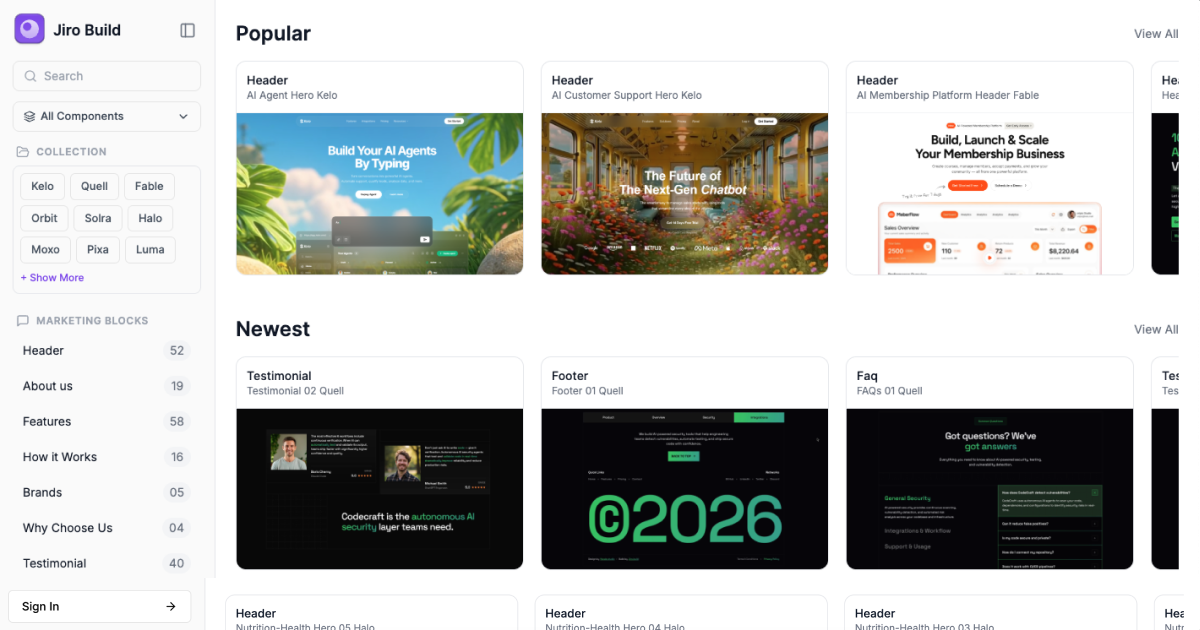
Build Better Websites with AI
JIRO is a design prompt library for vibe coding. Browse 1,171+ designer-crafted landing pages and website sections, copy an AI-ready prompt, and use it in your favourite AI builder to turn great designs into real websites in minutes.
No more staring at a blank screen. No more spending hours rewriting prompts just to get a decent layout.
What is JIRO?
AI can build a website incredibly fast. The problem is that the first version often looks generic.
JIRO gives you a better starting point.
Browse finished designs, find something that fits your project, and copy the prompt behind it. Paste it into Bolt, Lovable, Cursor, v0, Replit, Claude, Windsurf, Base44, or another AI coding tool, and let AI build the design for you.
Every resource includes the design instructions and code needed to recreate it.
New resources are added every week, so you always have fresh ideas to build from.
Why builders use JIRO
1,171+ designs to start from
Explore full landing pages and individual sections instead of designing everything from scratch.
Built for AI builders
Our prompts are created specifically for AI-assisted development, so you can move from inspiration to a working website much faster.
Build section by section
Need just a better hero, pricing section, FAQ or footer? Find it, copy the prompt, and add it to your project.
See before you build
Preview every design before you use it.
Built for real projects
Use JIRO for your own websites or websites you build for clients.
Keep getting better
We ship new designs every week, so the library keeps growing.
What can you build with JIRO?
Landing pages for:
SaaS and startups
AI products
Fintech
E-commerce
Agencies and consulting
Personal portfolios
Travel and tourism
And much more
You can also browse individual sections such as headers, features, pricing, testimonials, FAQs, CTAs, footers, team sections, integrations and more.
How it works
1. Find a design
Browse the library and pick something you want to build.
2. Copy the prompt
One click copies the AI-ready prompt to your clipboard.
3. Paste it into your AI builder
Use it in Bolt, Lovable, Cursor, v0, Replit, Claude, Windsurf, Base44, or another AI coding tool.
4. Make it yours
Change the copy, images, colours and details, then ship it.
For people who want more from JIRO
PRO members get access to features designed for serious builders, including unlimited prompt copies, source code, JIROBuild MCP, the private Discord community and continued access to new resources.
The Chrome extension also lets Bolt users browse JIRO and inject prompts directly into the Bolt chat without leaving the editor.
The idea behind JIRO
We believe AI has already made building websites dramatically faster.
The next challenge is making those websites look great.
That’s what we’re building JIRO to solve.
Explore more artificial intelligence tools on IndieHunt.