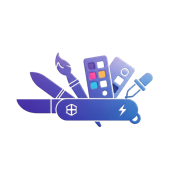
PixArmory is a complete AI photo editor for people who want professional image editing without learning complex desktop software. Users upload one or more images, describe the change in plain English, choose an AI model, and receive an edited result. The product combines image editing, image generation, enhancement, restoration, background work, creative transformations, and multi-image composition in one browser-based workspace.
What PixArmory does
PixArmory turns natural-language instructions into visual edits. A user can ask to replace a background, remove an unwanted object, adjust lighting, sharpen a soft photo, restore an old image, recolor an item, change an outfit, create a product mockup, or transform a photo into another visual style. It supports both focused corrections and broader creative changes. The editor also provides quick prompts for common tasks, so people can start without writing a detailed instruction from scratch.
The platform offers multiple AI models, including Google Nano Banana options and GPT Image 2. Users can select a model according to the type of edit, desired quality, resolution, and available credits. Some workflows support multiple reference images, which helps creators preserve the look of a person, pet, character, product, or visual style while combining several sources. Multi-turn editing lets users refine a result step by step rather than restarting the entire process after every change.
Who it is for
PixArmory is designed for creators, indie founders, marketers, online sellers, designers, photographers, and everyday users. A small business can create product visuals and marketing assets. A creator can generate variations for social posts or thumbnails. A photographer can clean up, enhance, or restyle an image. An individual user can repair a family photo, test a new look, or make a playful transformation. The plain-English workflow makes these tasks accessible to users who do not work with masks, layers, paths, or other traditional editing concepts.
Pricing and access
PixArmory uses a freemium model. People can start using the product without purchasing a professional software license, while paid credit options support continued or higher-volume use. Model and resolution choices display their credit cost before generation, allowing users to choose the appropriate balance of speed, quality, and budget. The application runs in a web browser, so no desktop installation is required.
Key features
Natural-language photo editing for precise and creative changes.
AI image generation with modern Google and OpenAI image models.
Background removal, replacement, cleanup, enhancement, upscaling, and restoration tools.
Style transfer and artistic transformations.
Multiple reference images for consistent subjects and compositions.
Multi-turn refinement that preserves context across edits.
Model and resolution controls with visible credit pricing.
A browser-based interface with reusable quick prompts.
Quick answers
What is PixArmory? It is a browser-based AI photo editor and image creation toolkit.
Does it require design experience? No. The main workflow is to upload images and describe the desired result in ordinary language.
Can it edit existing photos? Yes. Editing existing images is one of the core use cases, alongside generation and enhancement.
Can it use more than one reference image? Supported models allow multiple references for workflows such as composition, style consistency, and subject preservation.
Is PixArmory free? It offers a freemium experience with credit-based model usage and paid options for continued or higher-volume work.
Where can it be used? PixArmory is available on the web at
Explore more artificial intelligence tools on IndieHunt.